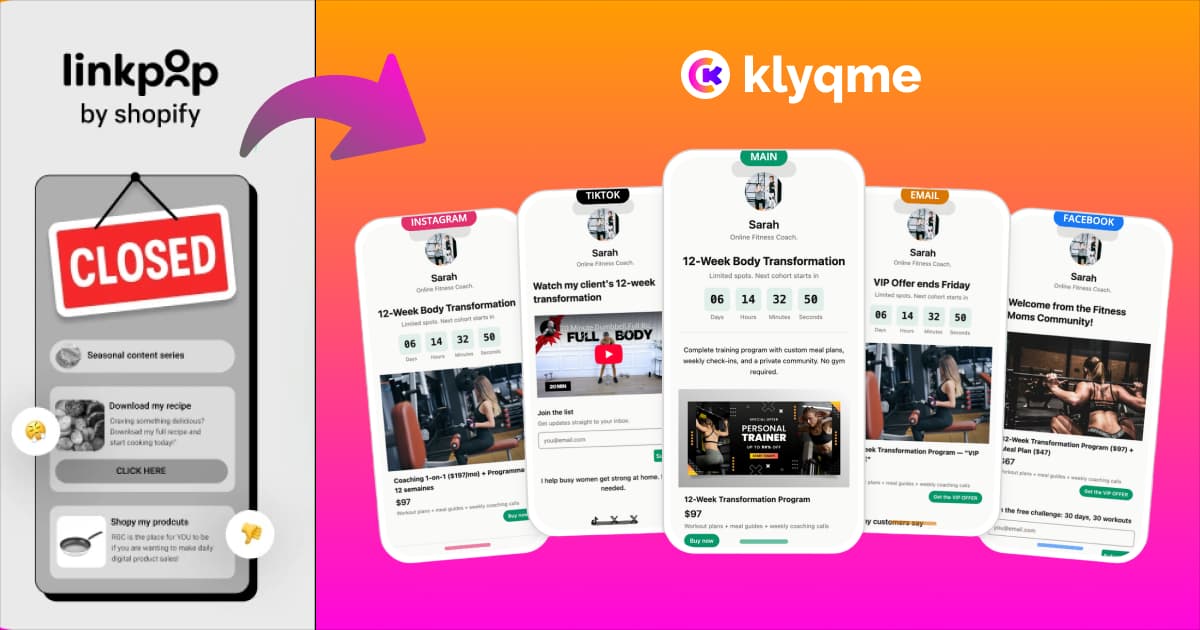
If your Instagram bio still points to a Linkpop URL, you're sending your highest-intent traffic into a frozen storefront. Linkpop shut down on July 7, 2025 [1]. The pages are still partially visible, but the Shopify checkout is dead, the products are not buyable, and you cannot edit anything. Every person who taps that link in your bio sees a page that looks like your store but cannot sell.
This guide gets you from zero to a fully working Klyqme bio page in under 10 minutes. It also covers the features Linkpop never had, so your new setup is a significant upgrade from what you lost, not a straight replacement.
Start your migration now. It takes 10 minutes.
What Happened to Linkpop?
Shopify launched Linkpop in March 2022 as a free shoppable bio page for creators and merchants [2]. It worked well enough for basic use: a product showcase with Shopify checkout built in. Then Shopify decided to concentrate resources on core commerce infrastructure and quietly discontinued the product.
The shutdown unfolded fast. In May 2025, Shopify emailed active users notifying them of the closure [1]. By June 11, new signups were blocked [3]. On July 7, 2025, existing users lost the ability to edit pages, log in, or access any account data [1]. No migration tool. No data export. No redirect mechanism [4].
For the full breakdown of why Shopify killed it and what your options are, see the complete Linkpop alternatives guide.
Can You Still Access Your Linkpop Page?
No. Linkpop pages stopped functioning on July 7, 2025 [1]. You cannot:
- Log into your Linkpop account
- Edit any existing page content
- Access your analytics or subscriber data
- Create new pages or links
- Redirect your old Linkpop URL to a new destination
Shopify provided no export tool and no redirect mechanism [1]. If your Linkpop URL is still in your social media bio, visitors hit a dead page. There is no workaround for this. The only fix is to build a new bio page and update every profile where that Linkpop URL appears.
What You Lose Every Day You Don't Migrate
The cost of a dead bio link is simple arithmetic. Take your Instagram account as an example. If it drives 100 clicks per day to your bio, a dead Linkpop URL means 3,000 lost visitors this month. At a 3% conversion rate and a $60 average order value, that's $5,400 in monthly revenue going nowhere.
That number scales with your following, and it compounds. The followers who clicked your bio link in July 2025 and hit a dead end probably didn't come back. The ones who click today and find nothing won't come back either. Every day you wait is traffic and revenue you can't recover.
There's also a trust cost. A dead link in your bio signals, at best, that you're not paying attention. For any potential customer doing research before they buy, it's a reason to shop somewhere else.
Why Klyqme Is the Right Move for Shopify Sellers
Linkpop's shutdown exposed the real problem with using a platform's side project as a critical piece of your marketing stack. When Shopify decided Linkpop didn't fit its roadmap, there was no warning and no migration path. Thousands of sellers absorbed that disruption with no recourse.
Klyqme is a dedicated link-in-bio platform built specifically for ecommerce sellers. It's not a side project from a payments company or a creator tool that added product features as an afterthought. The entire product is built around helping merchants turn social traffic into sales.
Here's what Linkpop never had and Klyqme does:
Retargeting pixels. Meta Pixel, Google Tag, TikTok Pixel, and LinkedIn Insight Tag all connect in minutes. The average ecommerce conversion rate sits around 2-3%, which means 97% of your bio page visitors leave without buying. Pixels let you bring them back with ads and build lookalike audiences from your best shoppers. Linkpop offered none of this.
A/B testing. Create up to five page variations, send different versions to different audiences, and compare conversion data side by side. Linkpop gave you one page and no way to know if it was working. A/B testing is the fastest way to improve your conversion rate without spending more on traffic.
Automatic UTM propagation. Over 40% of social traffic shows up as "Direct" in Google Analytics because in-app browsers strip referrer data [5]. Klyqme automatically appends UTM parameters to every outbound link on your bio page, so your attribution data is accurate and you're making budget decisions on real numbers, not guesswork.
Custom domains. links.yourbrand.com instead of linkpop.com/yourname. You own the URL. No platform can pull it out from under you.
Direct checkout. Visitors can buy products directly from your bio page through Stripe Connect, two taps from product to payment. Linkpop required a handoff to Shopify checkout; Klyqme handles it in-page on mobile where conversion rates live and die by friction.
24+ block types. Product cards, image galleries, video embeds, email capture, countdown timers, FAQ sections, digital product delivery. Linkpop's block options were minimal by comparison.
How to Migrate from Linkpop to Klyqme: Step by Step
The full migration takes about 10 minutes. Here's the exact process.
Step 1: Document Your Existing Linkpop Setup
Since you can no longer log into Linkpop, work from memory, screenshots, or a cached version of your page. Write down:
- Every link you had on your Linkpop page (product URLs, blog posts, social profiles, external links)
- The specific Shopify products you were featuring (product title, price, URL)
- Your brand colors and any logo or images you used
- Your tracking pixel IDs: Meta Pixel, Google Tag ID, TikTok Pixel ID, LinkedIn Insight Tag ID
- Every social profile, email signature, or marketing material where your Linkpop URL appeared
That last list is your update checklist for Step 6.
If you had a Google Cache or Wayback Machine snapshot of your Linkpop page, pull it up now. It won't be interactive, but it gives you a visual reference for layout and content.
Step 2: Create Your Klyqme Account
Go to klyqme.com and sign up. Free plan, no credit card required. The onboarding flow takes about two minutes.
Once you're in:
- Create a new bio page
- Set your page URL:
klyqme.com/yourhandle, or connect your custom domain (see Step 5) - Upload your logo and set your brand colors to match your Shopify store
The visual editor is drag-and-drop. You don't need to know how to code anything.
Step 3: Connect Your Shopify Store
In your Klyqme dashboard, navigate to the integrations panel and connect your Shopify store. Once connected, you can pull products directly from your catalog without manually entering titles, images, or prices. Inventory syncs automatically, so if something sells out in Shopify, it updates on your bio page.
Add each product you want to feature as a product block. Product blocks display your image, title, price, and a buy button. Customers can purchase directly from the bio page without being redirected to your full Shopify store.
Step 4: Build Your Bio Page
With your Shopify products connected and your brand settings in place, build out the rest of your page using the block library.
Recommended structure for a Shopify seller:
- Profile block: your name or brand name, one-line description, logo
- Featured product blocks: your two or three top sellers, in that order
- Email capture block: "Get early access to new drops" or whatever fits your brand voice. Start building your list from day one.
- Links block: blog, YouTube, support page, secondary social profiles
- Social icons: quick links to your other platforms
Keep it focused. Bio page visitors are on mobile, they're moving fast, and you have about three seconds to show them something worth tapping. Put your best products first.
Step 5: Set Up the Features Linkpop Never Had
This is the step that makes migration worth doing, not just necessary.
Install your retargeting pixels. In your page settings, paste your pixel IDs for Meta, Google, TikTok, and LinkedIn. Each takes about 30 seconds. Once these are live, every visitor to your bio page gets added to your remarketing audiences. The traffic you're driving from Instagram and TikTok finally has a second chance to convert.
Configure UTM propagation. In your analytics settings, set your default UTM source, medium, and campaign. Klyqme automatically appends these to every outbound link. Your GA4 and Shopify reports will start showing accurate social attribution instead of lumping everything into "Direct."
Set up your first A/B test. Duplicate your page, make one change (try reordering your products, or changing your featured image), and split your traffic between the two versions. Run it for two weeks and look at the conversion data. This is how you improve without guessing.
Set up retargeting pixels, A/B testing, and UTM tracking in 2 minutes
Step 6: Update Your Social Media Bios
This step matters more than any of the others. A perfect bio page does nothing if the link in your bio still points to Linkpop.
Update the link in your bio on every platform where it appears:
- Instagram (settings, then bio link)
- TikTok (edit profile)
- YouTube (channel settings, links section)
- Twitter/X (edit profile)
- Pinterest (edit profile)
- Facebook (page info, website)
- Any email newsletters or campaigns where your Linkpop URL was included
- Email signatures
- Physical packaging, business cards, or flyers with a QR code or URL
Work through the list you made in Step 1. Check it twice. Instagram is typically the highest-traffic source for most sellers, so prioritize that one first.
Step 7: Verify Everything Works
Before you consider this done, test your page like a customer would.
Open your new bio page URL on your phone, not in a desktop browser. Check that:
- All product images load correctly
- Buy buttons work and take you through to checkout
- All links point to the right destinations (not Linkpop URLs)
- Your page loads in under two seconds on a mobile connection
- The page looks correct on both iOS Safari and Android Chrome
Click through a test purchase with a small-value product, or use a discount code to zero it out. Confirm the order shows up in your Shopify admin with the correct attribution.
After the first week, check your analytics dashboard. Verify that retargeting audiences are populating in Meta Ads Manager, Google Ads, and TikTok Ads Manager. If the pixel IDs are correct, you should see audience counts growing within 24-48 hours.
What You Gain by Switching
The honest assessment: Linkpop was a useful but limited tool. The shutdown forced a migration that most sellers would have been better off making voluntarily, because any serious replacement is a meaningful upgrade.
| Feature | Linkpop (was) | Klyqme (now) |
|---|---|---|
| Direct checkout | Yes (Shopify only) | Yes (Stripe Connect, any product) |
| Shopify product sync | Native | Yes, via product blocks |
| Meta Pixel | No | Yes |
| Google Tag | No | Yes |
| TikTok Pixel | No | Yes |
| LinkedIn Insight Tag | No | Yes |
| A/B testing | No | Yes (up to 5 variations) |
| UTM propagation | No | Automatic |
| Smart routing | No | Yes (by country or device) |
| Custom domains | No | Yes |
| Email capture | No | Yes, with Mailchimp integration |
| Block types | Limited | 24+ |
| QR codes | No | Yes, customizable |
| Starting price | Free (discontinued) | Free plan available |
| Transaction fee | 0% (Shopify only) | 5% free / 2% Core / 0% Growth |
The gap is significant. Linkpop gave you a product list with Shopify checkout. Klyqme gives you retargeting audiences, attribution data, conversion testing, and a bio page that can actually grow your business. The 97% of visitors who don't buy on the first visit are no longer invisible.
Frequently asked questions
No. Linkpop shut down on July 7, 2025 [1]. Pages are still partially visible in read-only mode, but the Shopify checkout is disabled, products cannot be purchased, and no editing is possible. Accounts cannot be logged into. Any social media bio pointing to a Linkpop URL is sending visitors to a page that looks active but cannot sell anything.
No. Shopify offered no export tool for Linkpop pages, analytics, click data, or subscriber information [1]. If you didn't manually back up your page content before July 7, 2025, that data is gone. The contacts and analytics you built on Linkpop cannot be recovered.
Almost certainly not. Shopify has announced no plans to revive Linkpop or create a replacement [1]. The product was removed from the Shopify App Store, and Shopify's stated roadmap is focused on core commerce infrastructure: checkout, payments, and Shopify Magic AI. Linkpop doesn't fit that direction.
About 10 minutes, assuming you know your product URLs and have your brand assets ready. Creating an account takes two minutes, building a basic page takes five, and installing retargeting pixels and updating your social bios takes the remaining three. The only step that takes longer is updating every place your Linkpop URL appeared, which depends on how many channels you run.
No. Your old Linkpop URL does not work now, regardless of whether you switch to a new tool. Linkpop domains are controlled by Shopify, and Shopify provided no redirect mechanism [1]. The URL cannot be pointed to your new bio page. The only solution is to update every profile, signature, and marketing material where your Linkpop URL appeared.
Yes. Klyqme connects to your Shopify store and pulls products directly from your catalog. Product blocks display your image, title, price, and a buy button. Customers can purchase without leaving your bio page via Stripe Connect checkout. Inventory syncs automatically with your Shopify admin.
Klyqme has a free plan with no credit card required. The free plan includes a bio page, product blocks, retargeting pixel support, and basic analytics. Transaction fees are 5% on the free plan, 2% on the Core plan ($19/month), and 0% on the Growth plan ($49/month). [See full pricing details.](/pricing)
Yes. Custom domains are supported on paid plans. You can use `links.yourbrand.com` or any subdomain you control. Setup requires adding a CNAME record in your DNS provider; verification typically takes under five minutes. Custom domains mean you own your bio link URL permanently, with no risk of another platform discontinuing it.
Klyqme natively supports Meta Pixel (Facebook and Instagram ads), Google Tag (Google Ads and GA4), TikTok Pixel, and LinkedIn Insight Tag. Each installs with a copy-paste of your pixel ID in the page settings. Once installed, every visitor to your bio page is tracked and added to your remarketing audiences across those platforms.
Yes. Klyqme lets you create up to five page variations and split traffic between them. You can test different product orders, headlines, images, or call-to-action copy. Each variation gets its own analytics, so you can compare click-through rates and conversions side by side and keep whichever version performs best. --- Your Linkpop page is frozen. Your new one doesn't have to be. [Create your Klyqme bio page for free](/use-cases/ecommerce-stores)