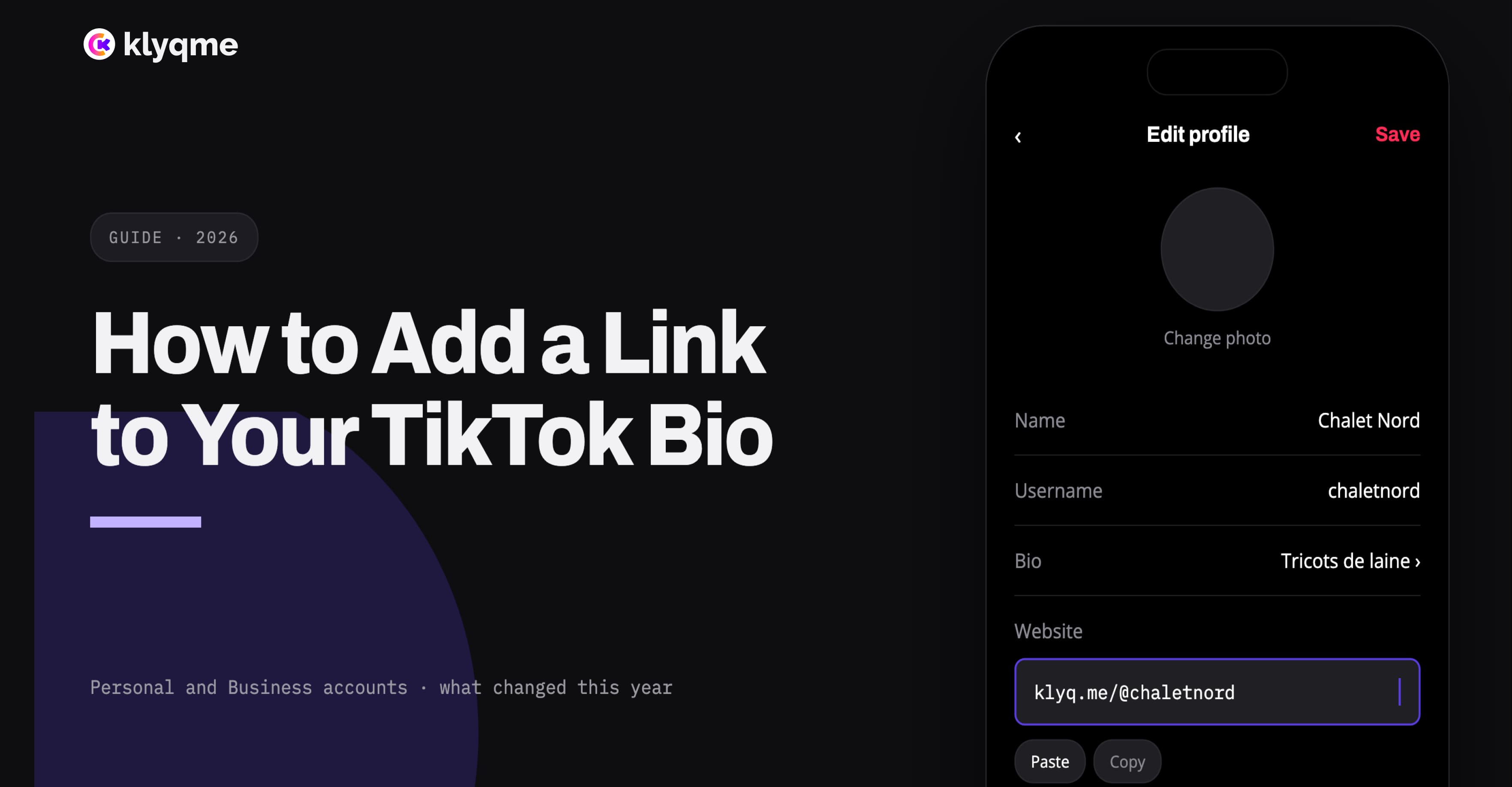
To add a clickable website link to your TikTok bio, open the TikTok app, go to Profile, tap Edit profile, choose Links, then tap Add and enter your website address. If the website option does not appear, your account may not meet TikTok's current eligibility rules.
TikTok says Personal Accounts need at least 1,000 followers to post a website link. A Registered Business Account can also add one.[1] Availability can still vary by region and account, so the menus on your screen may not look exactly like someone else's.
Once the field appears, the mechanics take less than a minute. The more important decision is where the link should lead. A store homepage works, but a focused mobile page can match the products, service, or campaign featured in your videos.
How to add a website link to your TikTok bio
Use the TikTok mobile app and follow these steps:
- Open TikTok and tap Profile at the bottom of the screen.
- Tap Edit profile.
- Find Links and tap Add.
- Choose the website option when TikTok presents it.
- Paste the complete URL, including
https://. - Save the change.
- Return to your public profile and tap the link to test it.
TikTok also lets eligible accounts connect supported social profiles such as Instagram or YouTube from the same area.[1] Those connections are separate from the website field. Connecting Instagram does not replace the link you use for your store, booking page, newsletter, or bio page.
Test the result from another account or a logged-out browser. This confirms that visitors can see the link and that it opens the intended public page rather than an editor, preview, or private dashboard.
Why the website field may be missing
The most common reason is account eligibility. TikTok's current Help Center states that a Personal Account needs at least 1,000 followers to add a website link. It also identifies a Registered Business Account as another eligible route.[1]
Before changing account type, check the basics:
- Update TikTok to the latest version available on your phone.
- Confirm that you are editing the correct account.
- Look under Edit profile and Links, not inside the biography text field.
- Check whether the feature is available in your region.
- Confirm whether TikTok is asking for business registration or verification.
- Close and reopen the app after an account or verification change.
Do not rely on a URL typed into the biography text itself. Plain text may show the address, but it does not provide the same dependable, tappable website field.
Avoid services that promise to unlock restricted TikTok features in exchange for account credentials. Eligibility is controlled by TikTok. A third party cannot safely add a profile feature that TikTok has not made available to your account.
Personal Account or Business Account?
The right account type depends on how you use TikTok.
A Personal Account is designed for creators and public figures as well as everyday users. It can access creator tools and the general music library, subject to TikTok's rules. Once it reaches at least 1,000 followers, it may add a website link.[2]
A Business Account is intended for brands and people whose main purpose is promoting a product or service. It includes business-oriented tools and can display a website link when the applicable account requirements are met.[2]
There is a meaningful trade-off. Business Accounts use TikTok's Commercial Music Library and do not have access to the general music library because those tracks are not cleared for commercial use.[2] Switching only to obtain a link may therefore affect the sounds available for future videos.
TikTok advises against repeatedly switching between Personal and Business Accounts. If your content mixes personal creation with business promotion, decide which purpose is primary before changing the account type.[2]
Can you add a TikTok bio link without 1,000 followers?
For a Personal Account, TikTok currently sets the threshold at 1,000 followers.[1] A Registered Business Account is the official alternative identified by TikTok, although registration and feature availability can differ by market.
If neither option is available, there is no reliable shortcut that turns biography text into the official website field. You can still:
- connect Instagram or YouTube when those options are available;
- use a short, memorable domain as plain text;
- mention the exact destination in your videos;
- pin a video that explains where viewers can find your products;
- prepare the destination page before the clickable field becomes available.
The last point saves time. Your page, products, tracking, and campaign message can be ready before you update the TikTok profile.
What should your TikTok bio link open?
The best destination follows the promise made in the video. Someone who watches a demonstration of one product should not have to search a full store catalog to find it again.
Consider four common destinations.
Your store homepage
Use the homepage when the video promotes the brand as a whole and the store has simple navigation. This is easy to maintain, but it asks the visitor to make several new decisions after leaving TikTok.
A Shopify product or collection
Link directly to a product when one item is the clear subject of the video. Use a collection when the content presents a category, such as a fall release or a skincare routine.
This shortens the path, but every campaign change may require another edit to the profile link.
A focused bio page
A bio page keeps one stable TikTok URL while the content behind it changes. It can feature the current product, supporting items, a booking link, an email form, and other destinations in a mobile layout.
For an ecommerce store, the page should do more than display a stack of unlabeled buttons. Product images, prices, options, availability, and clear purchase actions preserve the context created by the video.
TikTok Shop
TikTok Shop is a separate sales channel. In supported markets, eligible Shopify merchants can synchronize products and sell through shoppable videos, live shopping, and a product showcase on their TikTok profile.[3]
It is not available to every merchant. Shopify currently lists the United States, the United Kingdom, Spain, Ireland, France, Italy, Germany, Mexico, Japan, and Brazil among the supported store locations.[4] Canada is not included in that list at the time of writing.
A website link remains useful even when TikTok Shop is available. It can lead to products not featured in the Shop, collect email addresses, accept bookings, explain an offer, or provide a destination shared with Instagram and other channels.
How to use one TikTok link for several products
One profile URL can open a curated page containing the products mentioned across your recent videos. Keep the order deliberate:
- A short brand introduction
- The product featured in the current or pinned video
- Related products
- Shipping, returns, sizing, or other purchase information
- Secondary links and email signup
In Klyqme, a Shopify product block can read the product's title, images, price, options, variants, and availability from the connected Shopify store. The shopper chooses the required size or color before continuing into the merchant's Shopify buying flow.
Shopify remains responsible for checkout, payment, tax, shipping, discounts, order confirmation, and final inventory validation. Klyqme provides the mobile sales page and records the visit and outbound product click.
See how Shopify product variants work on a bio page for the full variant and checkout flow.
Match the page to the TikTok video
A permanent URL does not require a permanent layout. Update the first commercial block when the campaign changes.
If a video promotes a black hoodie, place that hoodie near the top. If the next campaign promotes a meal-prep subscription, lead with that service instead. The public URL stays the same, so older videos and printed material do not need to be edited.
For stores posting on several platforms, create a TikTok-specific page variation or use a distinct tracked URL. Instagram and TikTok audiences may arrive from different creative, even when they see the same products.
Track visits without calling every click a sale
A TikTok bio page can tell you:
- how many visits reached the page;
- which products or buttons received clicks;
- whether one page variation earned more engagement than another;
- which campaign parameters arrived with the visit.
Shopify confirms whether a checkout became an order. Keep those events separate. A product click shows purchase intent, but it is not proof of payment.
Use a consistent destination such as:
https://yourdomain.com/tiktok?utm_source=tiktok&utm_medium=social&utm_campaign=fall_launch
Keep the campaign name stable across related videos. If every post uses a new naming style, the resulting report will fragment one campaign into several rows.
Read how to track Shopify sales from Instagram and TikTok bio links for a complete measurement setup.
Mistakes that cost clicks
Sending everyone to a crowded homepage
The visitor should recognize the product or promise that earned the click. If the destination looks unrelated, returning to TikTok is easier than searching.
Changing the profile URL for every video
Older videos can continue receiving views. A stable bio-page URL lets you update the featured content without breaking the path attached to previous posts.
Writing a vague call to action
"Link in bio" tells viewers where to go but not why. "Choose your size from the link in our bio" or "Book this service from our bio" sets a clearer expectation.
Ignoring TikTok's in-app browser
Test the page from TikTok on both iPhone and Android when possible. Check loading time, text size, product selection, checkout handoff, and cookie prompts on a real mobile connection.
Treating the bio page as a second product catalog
Do not type prices and stock manually when Shopify can supply them. Duplicate product data becomes inaccurate as inventory changes.
A practical launch checklist
- The website field is visible on the public TikTok profile.
- The URL uses HTTPS and opens without a redirect error.
- The first screen matches the promise in the current video.
- Featured products display current Shopify information.
- Sizes and colors lead to the correct variant.
- Unavailable products or combinations cannot be purchased.
- Buttons describe their real destination.
- The page works inside TikTok's browser.
- Visits and product clicks appear in analytics.
- Shopify confirms the final cart and order details.
Once the link works, do not judge it only by profile visits. Look at the complete path from TikTok video to bio-page visit, product click, Shopify checkout, and paid order.
Create a free TikTok bio page with Klyqme
Sources
Frequently asked questions
TikTok currently says a Personal Account needs at least 1,000 followers to post a website link. A Registered Business Account can also qualify.[1] Feature availability and verification requirements may vary by region.
Your account may not meet the follower, account-type, registration, or regional requirements. Update the app, check **Edit profile** and **Links**, then review the account type and any business-verification prompt shown by TikTok.
TikTok presents the Business Account itself as free. Advertising, TikTok Shop fees, and third-party services are separate. Business Accounts also use the Commercial Music Library rather than TikTok's general music library.[2][5]
Use a direct Shopify product URL for one permanent offer. Use a bio page when you need several products, changing campaigns, bookings, email capture, analytics, or one stable branded URL.
No. TikTok Shop is a supported sales channel with products and checkout inside TikTok. A bio link opens an external destination controlled by the merchant. Eligibility, geographic coverage, payment, and reporting differ.
Yes, but separate variations or tracked URLs make attribution clearer and allow the first product, message, and call to action to match each platform.