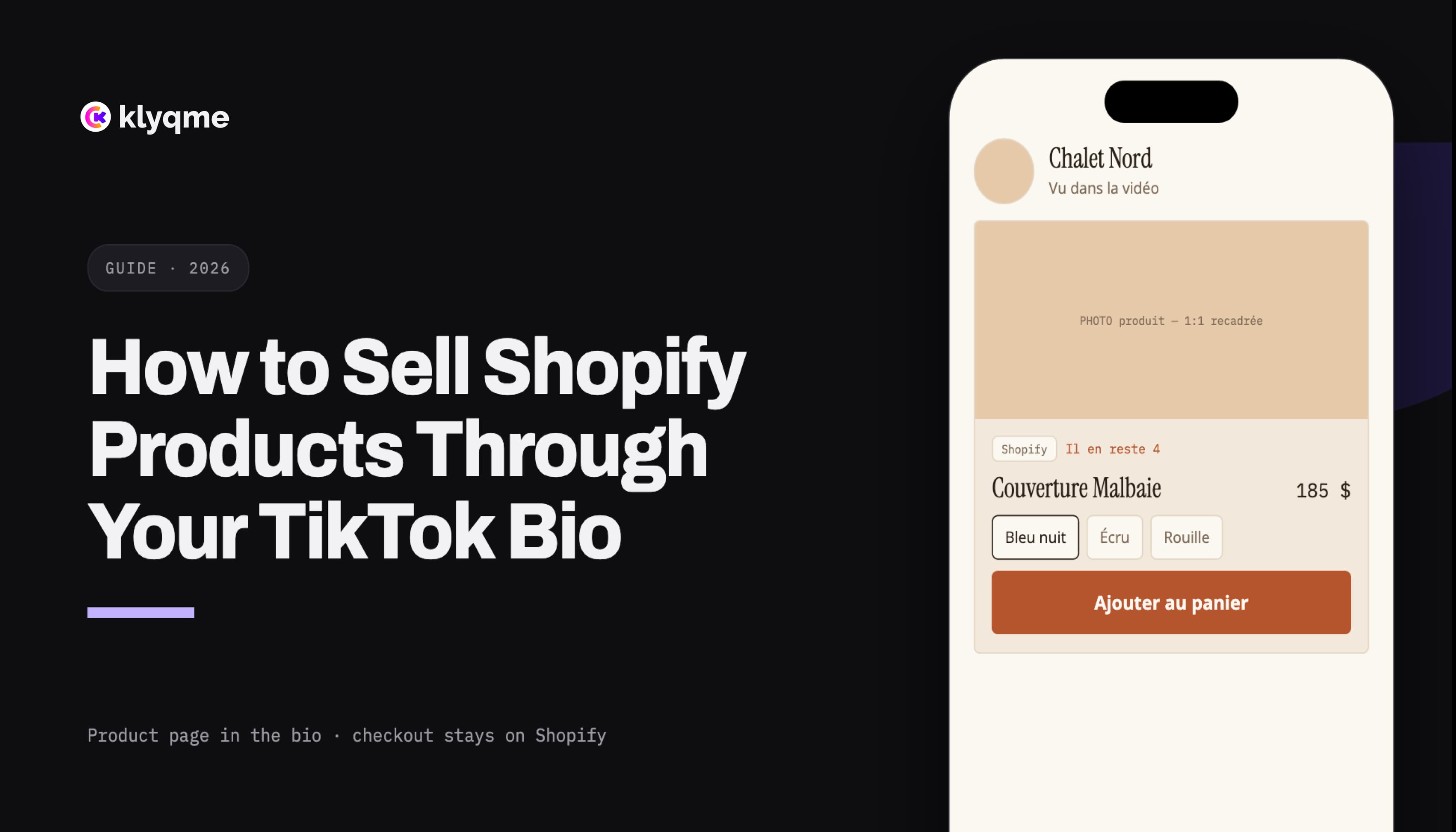
You can sell Shopify products through your TikTok bio by placing one public link on your profile, sending visitors to a mobile product page, and letting Shopify complete the checkout. The page can show the exact items featured in your videos, including their current images, prices, variants, and availability.
The customer journey looks like this:
- A shopper watches a TikTok about a product.
- The video tells them what they can find through the link in your bio.
- The profile link opens a page that features that product first.
- The shopper chooses the required size, color, or other option.
- Shopify opens with the chosen variant and completes the order.
This route works independently of TikTok Shop. It is useful for stores in countries where TikTok Shop is unavailable, merchants who want checkout to remain on Shopify, and brands that need one destination for products, collections, email signup, and customer information.
Decide where the purchase will happen
TikTok offers more than one route from a video to a product. Choose the one that matches your market and operations before building the page.
External bio link with Shopify checkout
With this setup, TikTok provides the audience and the profile link. Your bio page presents the offer, then Shopify handles checkout, payment, taxes, shipping, discounts, order confirmation, and final inventory validation.
This is the most flexible route because you control the destination page. You can feature several products, explain sizing, link to a return policy, collect email addresses, and change the page without replacing the URL in your TikTok profile.
TikTok Shop
TikTok Shop is a separate sales channel. Eligible merchants can synchronize a Shopify catalog with TikTok and sell through shoppable videos, live shopping, and a product showcase on the TikTok profile.[1]
Shopify currently lists the United States, the United Kingdom, Spain, Ireland, France, Italy, Germany, Mexico, Japan, and Brazil as supported store locations.[2] Canada is not on that list at the time this article was updated.
Checkout for a TikTok Shop order is powered by TikTok. TikTok processes the payment, while the order can appear in Shopify for fulfillment. Refunds, returns, and cancellations are handled through TikTok Seller Center.[3][4]
You can use TikTok Shop and an external bio page at the same time. The Shop serves native product discovery; the bio page can carry a campaign, a larger assortment, a signup form, policies, or products that are not part of the TikTok catalog.
Make sure your TikTok profile can display a website link
Open TikTok, go to Profile, tap Edit profile, then look under Links for the website field. TikTok currently says a Personal Account needs at least 1,000 followers to add a website link. A Registered Business Account can also qualify, although availability and verification may vary by region.[5]
If the field is missing, follow the troubleshooting steps in How to Add a Link to Your TikTok Bio. Do not build a sales campaign around a URL written as plain biography text. Test the actual clickable field from the public profile.
Prepare the products in Shopify first
The bio page should reflect Shopify, not become a second place to maintain product information. Before connecting anything, review the products you intend to promote:
- Use a clear product title that still makes sense outside your store navigation.
- Add mobile-friendly images that show the item without requiring a zoom gesture.
- Confirm the current price and compare-at price.
- Name options consistently, such as Size, Color, or Material.
- Verify that every purchasable variant has the right price and inventory.
- Add shipping, return, and sizing information to the store.
- Test the product and checkout URLs in a private browser window.
Avoid copying a price or stock message into a decorative text block. That copy can become inaccurate after the Shopify record changes.
Connect Shopify and add real product blocks
In Klyqme, connect the Shopify store from the integrations area, then add a Shopify product block to the page. Use the product's canonical Shopify URL so the block can resolve the correct item.
The product block can read the title, images, price, options, variants, and availability from Shopify. The buyer sees the relevant choices before leaving the bio page. Once the required options are selected, the purchase action opens the merchant's Shopify flow with the matching variant.
Shopify documents cart permalinks as links that can preload a cart or checkout with specific variant IDs and quantities.[6] This is why variant selection matters. A generic product link and a link for a specific purchasable variant are not interchangeable.
Read Shopify Product Variants on Bio Pages for the complete size, color, stock, and checkout model.
Build the page around the TikTok visitor
A visitor who arrives from TikTok has already seen part of the sales message. The landing page should continue that message rather than restart with a generic company introduction.
A practical order is:
- Identity: logo, store name, and one short line that confirms the visitor reached the right brand.
- Featured product: the item shown in the current campaign or pinned video.
- Supporting products: two to four relevant alternatives, bundles, or complementary items.
- Purchase information: sizing, delivery threshold, returns, or a concise FAQ.
- Secondary actions: collection links, email signup, customer support, and social profiles.
Keep the first purchasable item close to the top. A visitor should not need to pass a long brand story, a social icon row, and six general links before seeing the product promised in the video.
Match each product video to a recognizable destination
If the video demonstrates a red travel bag, the first product card should show that red travel bag. If the video compares three colors, the page should expose those color choices. If it announces a limited collection, the page should lead with the collection and show the release details nearby.
The product name, visual, and call to action should make the connection obvious without replaying the video. This is especially important when a shopper returns to the page several hours later.
Keep one stable profile URL
TikTok videos can keep collecting views after a campaign ends. Replacing the profile URL for every post makes older calls to action unpredictable.
Use one stable public URL, then update the page behind it. Feature the current campaign at the top while keeping evergreen products or collections lower on the page. A branded domain also makes the destination easier to recognize when the link is shared outside TikTok.
If Instagram and TikTok use similar pages, create a TikTok-specific variation or tracked destination. That separation allows the first message and product order to match the platform while keeping attribution cleaner.
Write calls to action that complete the video
"Link in bio" gives directions but says nothing about the reward. Use a precise sentence in the video, caption, or on-screen text:
- Choose your color through the link in our bio.
- Shop the three products shown here.
- Check your size before this color sells out.
- See the full collection and delivery details in our bio.
On the page, label the purchase action according to what happens next. "Choose a size," "Buy on Shopify," and "View the collection" are clearer than "Learn more."
Do not add artificial countdowns or unsupported scarcity. If an item is unavailable, let the Shopify data disable the impossible purchase rather than promising inventory that does not exist.
Test the entire path inside TikTok
Testing the page in a desktop browser is not enough. Open the public profile in TikTok and complete the same steps a shopper would take.
Check the following on a real phone:
- the profile link opens the published page;
- the first product is visible without excessive scrolling;
- images fit the card and remain legible;
- option names and values are easy to tap;
- unavailable combinations cannot proceed;
- the selected variant remains correct when Shopify opens;
- shipping and return links work;
- the page does not hide content behind a cookie prompt;
- the checkout supports the shopper's expected currency and delivery country.
Repeat the test on iPhone and Android when possible. TikTok's in-app browser, screen size, and keyboard behavior can expose problems that do not appear in a normal desktop tab.
Measure the page, click, and order separately
Use a consistent TikTok destination, for example:
https://yourbrand.com/tiktok?utm_source=tiktok&utm_medium=social&utm_campaign=fall_launch
Klyqme can report visits to the page and clicks on its product blocks. Shopify remains the source of truth for checkout and paid orders. A product click signals intent; it does not prove that payment was completed.
Keep campaign names stable across related videos. If fall_launch, falllaunch, and launch_fall refer to the same campaign, reporting tools will treat them as different values.
For the full attribution setup, read How to Track Shopify Sales from Instagram and TikTok Bio Links.
Product-page patterns for common TikTok videos
One-product demonstration
Lead with the demonstrated product, expose its options, then add a short FAQ and one related product. Remove unrelated navigation from the first screen.
Product comparison
Place the compared items next to one another or in the same order as the video. Repeat the same differentiating details, such as capacity, material, or intended use.
New collection or product drop
Show the release first, include the actual launch time and delivery terms, and let Shopify availability determine what can be purchased. Keep an email signup below the products for visitors who arrive before launch.
Customer review or creator video
Feature the exact item used in the video. If the creator has a dedicated campaign, use a distinct tracked URL rather than changing the product title or inventing a coupon attribution after the fact.
Sale or bundle
Confirm that the discount is applied by Shopify and visible before payment. Do not place promotional copy on the page until the discount rule, eligible variants, dates, and inventory have been tested.
Common mistakes
Sending every viewer to the store homepage
A homepage serves many audiences. A TikTok landing page should answer the specific interest created by the video and reduce the search required to find the product.
Maintaining product details twice
Manually typed prices, sizes, and stock drift away from Shopify. Use Shopify as the product source wherever possible.
Hiding the featured product below general links
The order of the page communicates priority. Place the promised item before press coverage, social icons, and broad category links.
Ignoring sold-out variants
A product can be available while one size and color combination is sold out. Validate the chosen variant, not only the parent product.
Counting clicks as revenue
Page visits and product clicks help diagnose the funnel. Only the commerce platform confirms an order and payment.
Launch checklist
- The TikTok profile has a public, clickable website link.
- The page has its own TikTok URL or attribution parameters.
- The product from the current video appears first.
- Product information comes from the connected Shopify store.
- Every size, color, and option resolves to the correct variant.
- Sold-out combinations cannot be purchased.
- Shopify opens with the intended product and variant.
- Shipping, returns, and support details are accessible.
- The flow has been tested inside TikTok on a phone.
- Klyqme records the visit and product click.
- Shopify records the completed checkout and order.
Create a shoppable TikTok bio page with Klyqme
Sources
Frequently asked questions
Yes. Put an eligible website link in your TikTok bio, use a mobile page to present your Shopify products, and send the selected item or variant to Shopify for checkout.
For a Shopify product block, the customer completes the purchase through the merchant's Shopify flow. Shopify handles payment, tax, shipping, discounts, the order, and final inventory validation.
No. TikTok Shop is an optional native sales channel in supported markets. An external bio link works as a separate route and gives the merchant control over the landing page.
Yes. A single page can feature the product from the latest video, related items, collections, policies, and an email form. Keep the selection curated for mobile rather than copying the full catalog.
Yes, when the page uses a Shopify product block that reads the product options and variants. The selected combination must resolve to an available Shopify variant before checkout.
Use a TikTok-specific page or consistent UTM parameters, measure page visits and product clicks, then use Shopify order data to confirm completed purchases.